SQL Access
Home Assistant has an internal SQL database front-ended by the Recorder integration. It holds, history, activity, long term statistics and more. Underneath it can by Sqlite (most common), MariaDB, MySQL or PostgreSQL.
When in live mode, the ha-cli exposes an sql variable, which allows access to this database, via the Recorder interface.
sql Object
| Operation | Description |
|---|---|
sql("<query>") |
Send a query to the database and wait for results |
sql.limit |
Read/write property to set the default row limit for results in this session |
sql.tables |
Returns a list of Table objects that describe each table and its contents |
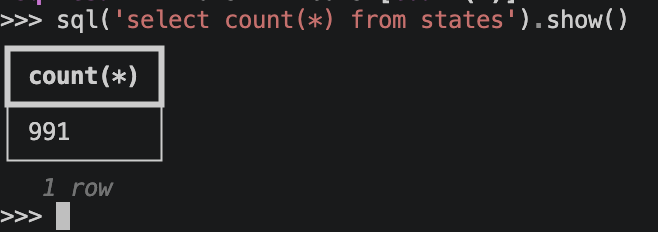
For example this will show the size of the statistics table.
Result Objects
On the result object, show() will display data in tabular form at the command, using the rich library's table support. The result will have both its rows and columns automatically limited, so it doesn't look like a mess or lock up the console. Use max_rows or max_cols to override this, or columns to set the list of columns specifically.
| Operation | Description |
|---|---|
show() |
Dump the table data to the console |
to_dicts() |
Extract a list of dict objects from the results |
to_pandas() |
Turn the results into a pandas dataframe, if pandas installed |
to_polars() |
Turn the results into a polars dataframe, if polars installed |
Table Objects
On the Table object, call columns() or column_names() to learn more about the structure.
More Help
Use help(sql) or call help(..) on a result object to get reminded of the API.